Rar Extractor for Mac
Open and extract RAR files on macOS with a straightforward desktop app. No complicated commands. No monthly subscription.
Get launch updatesmacOS 14+Apple silicon or Intel
- Extracts on your Mac
- One action, one folder
- Pay once, no subscription

Quick answer
How Do You Open a RAR File on Mac?
macOS can unzip ZIP files on its own, but its built-in Archive Utility does not open RAR archives. You need an extractor that reads RAR — Rar Extractor is one, and the full guide covers the others too. With Rar Extractor, it takes three steps.
Install Rar Extractor and activate it
Move the app to Applications, open it, and paste the license key you received by email.
Open the RAR file
Drop it on the window or the Dock icon, double-click it, or use Choose a file… If the archive has a password, type it when asked. For a split archive, open the first part.
Open the extracted folder
The files appear in a new folder next to the archive. Click Show in Finder to go straight there.
Features
Every RAR you are likely to be sent
A dedicated RAR extractor for macOS that also handles the other archives you are likely to be sent.
Opens RAR and RAR5 archives
Built on RARLAB's own UnRAR code, so archives made by current and older versions of WinRAR open the same way.
Password-protected archives
When a RAR or ZIP needs a password, the app asks for it once. A wrong password says so and keeps what you typed, so a typo can be fixed rather than retyped.
Archives split into parts
Open the first part of a .part1.rar or .rar + .r00 set and every part is read in order. A missing part is named as missing, not reported as a broken file.
ZIP, 7z and TAR too
The same window extracts ZIP, 7z and TAR archives, including .tar.gz, .tar.bz2 and .tar.xz, using the archive library that ships with macOS.
One action, a folder next to the archive
Drop an archive on the window or the Dock icon, double-click it, or choose it with ⌘O. Its contents appear in a new folder beside it, with Show in Finder one click away — or look inside first.
Look inside before you extract
Open an archive to see every file and folder with its size and date. Search it, preview a file with Quick Look, drag files out to Finder, or extract only what you select into a folder you choose.
Real progress, and a Cancel that stops
The window shows how far an extract has got and roughly how long is left. Cancel stops it within a moment and removes the half-made folder.
Test an archive without extracting it
Test reads every file in the archive and checks it against the archive's own checksums, so a damaged download shows up before you rely on it.
Nothing escapes the folder
Paths that try to climb out of the destination, absolute paths and links inside the archive are never written, so an archive cannot place files elsewhere on your Mac.
Extraction stays on your Mac
Archives are opened and extracted locally. The app connects only for its license check, the current price, and update checks — never to send your files.
Pay once, use it on 3 Macs
A one-time license with no subscription, activated on up to 3 of your Macs, with updates delivered inside the app.
How it works
Drop it in. Get a folder.
One window. Drop an archive and get a folder — or look inside it first. No settings to get through.
- Drop RAR, ZIP, 7z or TAR files
- Or choose them with ⌘O
- Or look inside first
- Settings: updates, license
- Open .rar files with a double-click
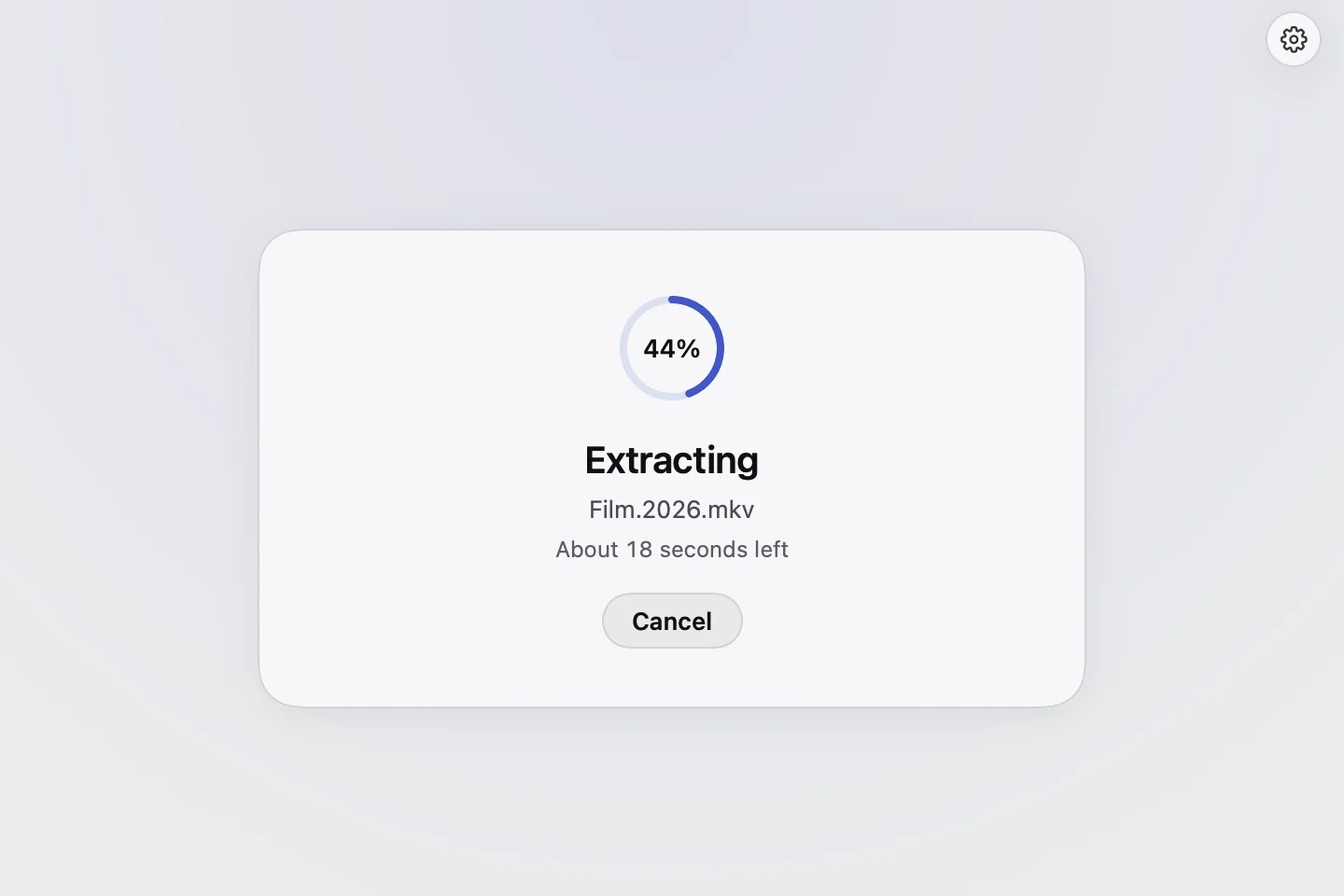
It extracts
A ring with the real percentage, the file being written and the time left. Cancel stops it and removes the half-made folder. If the archive needs a password, the app asks for it here.
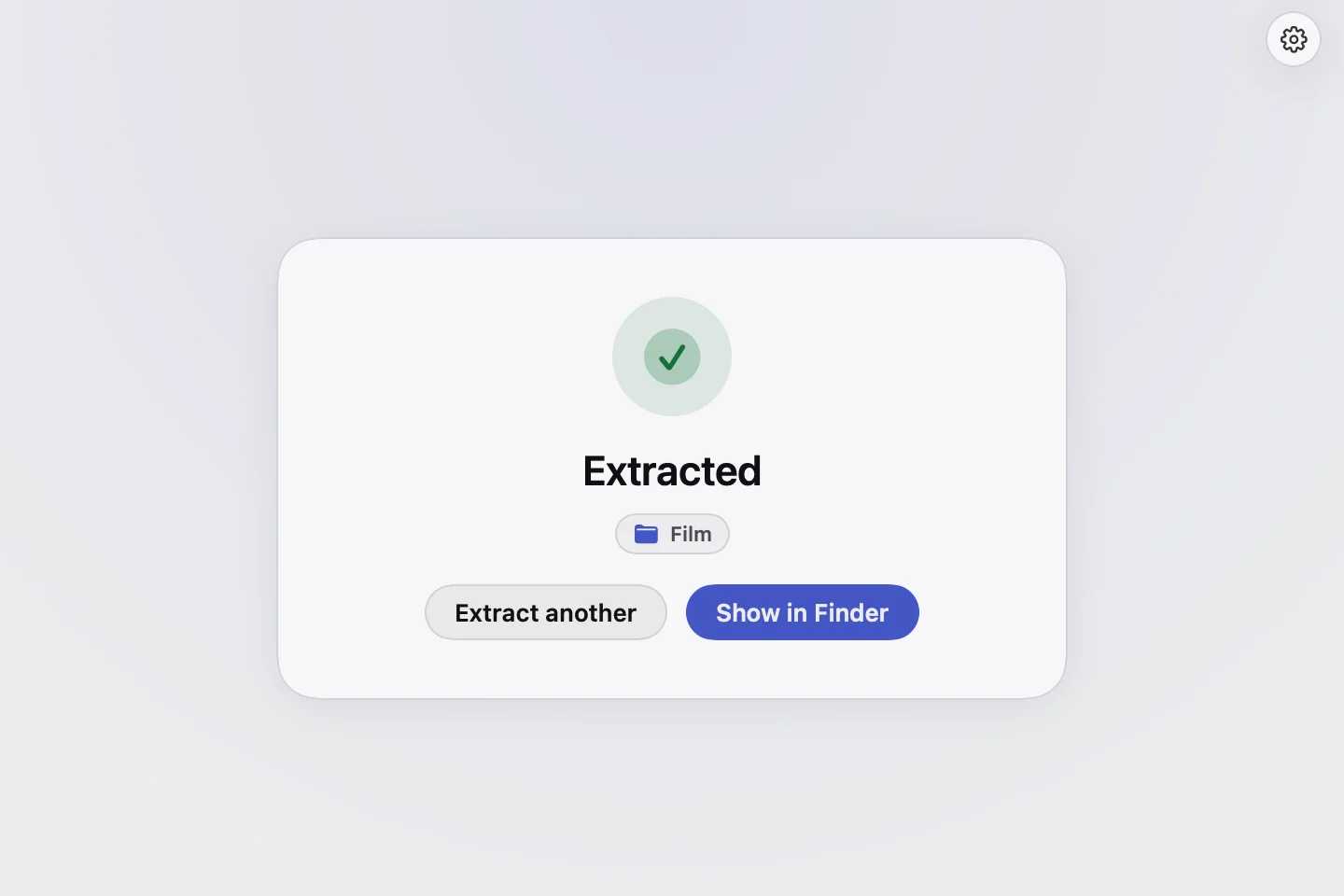
A folder beside the archive
The contents land in a new folder next to the archive. Show in Finder opens it; the original archive is left as it was.
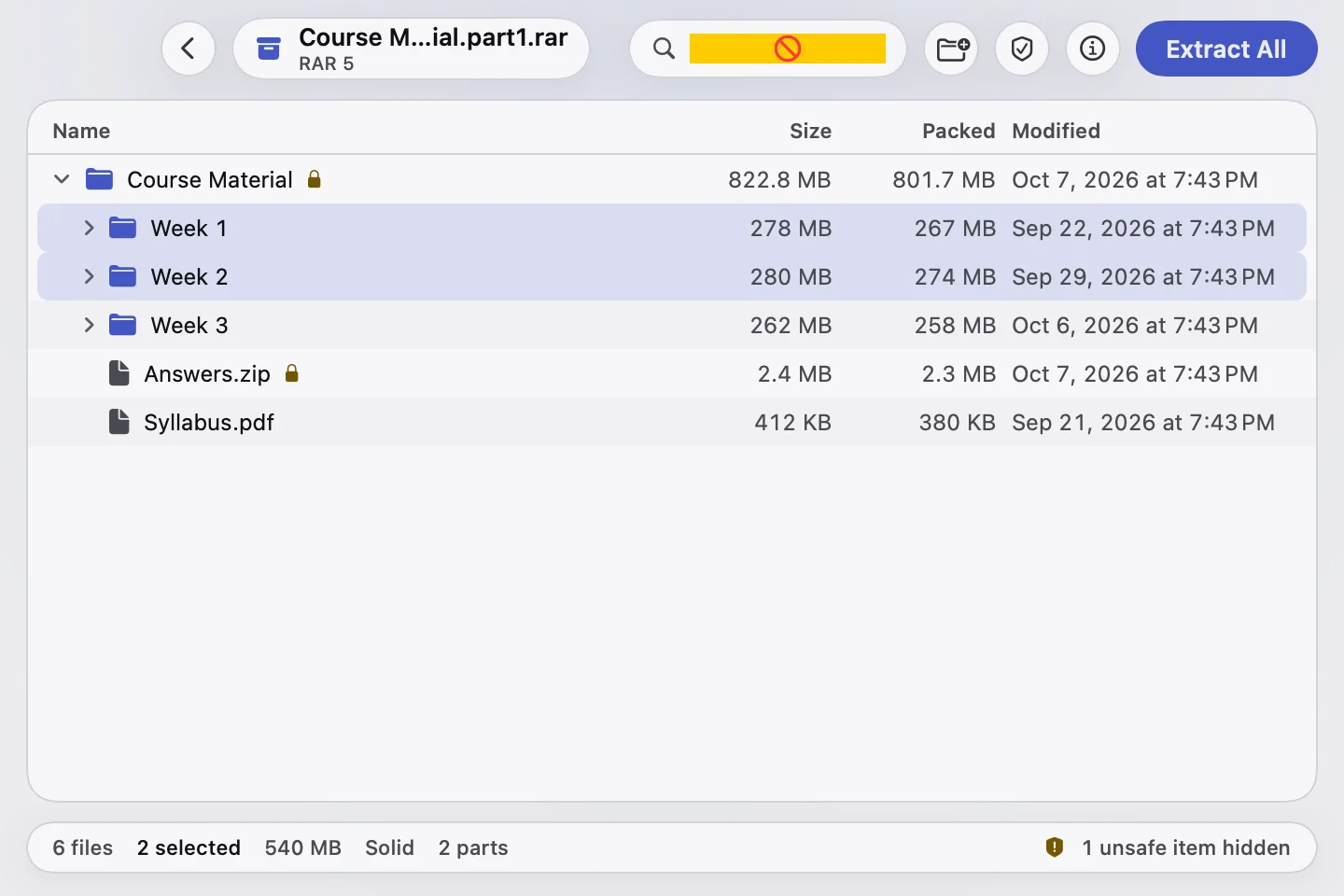
Or look inside first
Every file with its size and date. Search, preview with the Space bar, drag files to Finder, or extract only what you select.


Supported formats
Exactly what it opens
What the app extracts today, what it does not, and what has not been tried yet. It extracts only; it never creates archives.
- RAR (RAR4 and RAR5)Extracts
.rar
Both the older RAR format and RAR5, the format current WinRAR creates by default.
- Password-protected RARExtracts
.rar
Asks for the password, including archives whose file names are encrypted too.
- Split RARExtracts
.part1.rar, .part2.rar … or .rar, .r00, .r01 …
Open the first part; the rest are read from the same folder.
- ZIPExtracts
.zip
Including ZIP files protected with the classic ZIP password.
- 7zExtracts
.7z
Unencrypted 7z archives.
- TAR and compressed TARExtracts
.tar, .tar.gz, .tgz, .tar.bz2, .tbz, .tar.xz, .txz
Plain and compressed tarballs.
- Encrypted 7zNot supported
.7z
The app says the archive is encrypted and cannot be opened, rather than calling it damaged.
- Creating archivesNot supported
any
The app extracts only; it does not make RAR, ZIP or any other archive.
- ZIP with AES encryptionNot yet tested
.zip
May be reported as a wrong password; not yet run through the app.
- Single compressed filesNot yet tested
.gz, .bz2, .xz (not tarballs)
Not yet run through the app.
| Format | Files | Status | Notes |
|---|---|---|---|
| RAR (RAR4 and RAR5) | .rar | Extracts | Both the older RAR format and RAR5, the format current WinRAR creates by default. |
| Password-protected RAR | .rar | Extracts | Asks for the password, including archives whose file names are encrypted too. |
| Split RAR | .part1.rar, .part2.rar … or .rar, .r00, .r01 … | Extracts | Open the first part; the rest are read from the same folder. |
| ZIP | .zip | Extracts | Including ZIP files protected with the classic ZIP password. |
| 7z | .7z | Extracts | Unencrypted 7z archives. |
| TAR and compressed TAR | .tar, .tar.gz, .tgz, .tar.bz2, .tbz, .tar.xz, .txz | Extracts | Plain and compressed tarballs. |
| Encrypted 7z | .7z | Not supported | The app says the archive is encrypted and cannot be opened, rather than calling it damaged. |
| Creating archives | any | Not supported | The app extracts only; it does not make RAR, ZIP or any other archive. |
| ZIP with AES encryption | .zip | Not yet tested | May be reported as a wrong password; not yet run through the app. |
| Single compressed files | .gz, .bz2, .xz (not tarballs) | Not yet tested | Not yet run through the app. |
Compatibility · Privacy
Runs on your Mac. Stays on your Mac.
Where Rar Extractor runs, and what it does and does not send.
Compatibility
- macOS
- macOS 14 Sonoma or later
- Processor
- Apple silicon or Intel — one app, native on both
- Distribution
- Download from this site, not the Mac App Store
- Updates
- Inside the app, with a setting to check automatically
- Language
- English
Stays on your Mac
- Opening and extracting every archive
- Passwords you type — used once, never stored
- File names and contents
Goes over the network
- License activation and a check about once a week: your key and your Mac’s name
- The current price, when the app opens, so the license screen can show it
- Update checks: the list of releases and the app’s version
No analytics in the app, and nothing is uploaded. Payment is handled on the checkout page, never in the app. Details in the privacy policy.
Pricing
One price.
Lifetime access.
One-time payment. No subscription.
Get lifetime access to Rar Extractor on your Mac. Your license key arrives by email the moment you buy.
Rar Extractor for Mac
 Rar Extractor for Mac
$4.99
- One-time payment
- 14-day money-back guarantee
- Updates included, for as long as the app is maintained
- Extraction runs on your Mac
- 3 Macs license
3 Macs, $4.99, one-time payment.
We'll email you when sales open. No spam, and you can unsubscribe anytime.
FAQ
Questions, answered plainly
What it opens, what it sends, what it costs and what happens if it is not for you — answered in terms of what the app does, not in reassurance.
Still have a question?
Email hello@macrarextractor.com and the person who builds Rar Extractor will answer.
Can a Mac open RAR files without another app?
Can it open a password-protected RAR?
I have part1, part2 and part3 files. What do I do?
Where do the extracted files go?
Can I see what is inside an archive before extracting it?
Can it create RAR or ZIP archives?
Which Macs does it work on?
How is Rar Extractor different from The Unarchiver or Keka?
Is there a free trial?
Is Rar Extractor a subscription?
What does it send over the internet?
How do I get the app after buying?
What happens if I am offline?
Is there a money-back guarantee?
Guides
RAR files on a Mac, explained
Answers to the questions people ask about RAR files on a Mac, whichever app you use.
With love
Get it. Use it. Keep it if it helps.
I built Rar Extractor because opening a RAR file on a Mac should not need a Terminal tutorial. I hope it saves you those minutes every time an archive lands in your Downloads folder. If it is not for you, you have 14 days to ask for your money back.
Questions, feedback, a format it should open? Write to hello@macrarextractor.com or find me on X and LinkedIn. I read and answer everything myself, within three business days.

Sanii Verma
Maker of Rar Extractor
Open your next RAR file in one step
Drop it on the window and get a folder of its contents beside it. For macOS 14 Sonoma or later, Apple silicon or Intel.
Get launch updates- Native Mac app
- Extracts on your Mac
- One-time purchase
- Lifetime updates